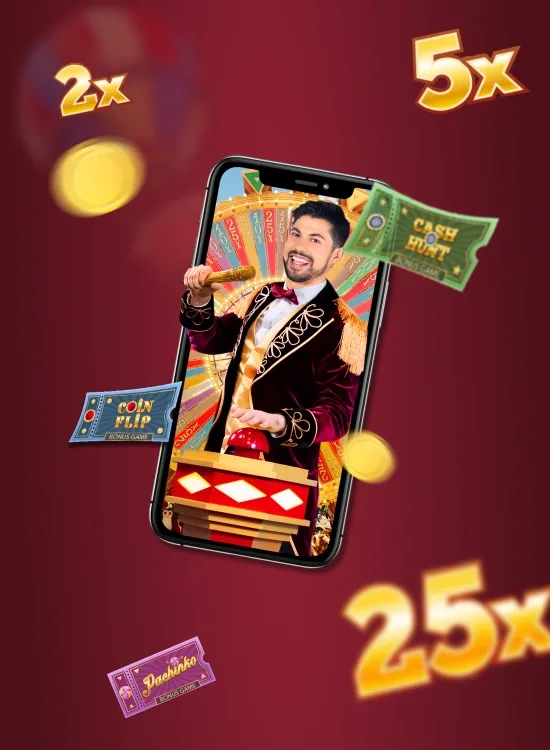
Crazy Time on Mobile in the UK
There is no official Crazy Time app published by Evolution Gaming. The live wheel runs in a browser session from Evolution's Riga studio, accessed through a UK-licensed casino operator's mobile app or mobile browser. This page covers the three routes UK players use to access Crazy Time on mobile, the safest options (UKGC-licensed operator apps via the App Store or Google Play, or your operator's mobile site added to your home screen), the warning signs around third-party APK downloads, mobile data usage per stream quality, and the responsible gambling tools that apply in mobile play. Every legitimate Crazy Time session on mobile runs inside a UK-licensed operator account.
Find a UK-Licensed Operator: the operator framework that applies to mobile play as much as desktop.
Play Crazy Time: operator checklist before real-money play. 18+. Play responsibly. BeGambleAware.
- Updated
- 25 May 2026
- Sections
- 16
- Focus
- No prediction claims

Section 01
At a Glance
Crazy Time on mobile in the UK, at a glance:
- No official Evolution app: the live wheel runs in a browser session, never as a standalone Evolution-published app
- Three legitimate routes: UKGC-licensed operator app (App Store or Google Play), operator's mobile site added to your home screen, or operator-distributed APK from their own HTTPS domain
- Recommended route for UK players: your chosen UKGC-licensed operator's app from the official App Store (iOS) or Google Play (Android), since UK gambling apps are eligible for both stores from licensed operators
- Stream quality: 480p, 720p, or 1080p selectable in the casino video player
- Typical mobile data usage: roughly 900 MB per hour at 1080p, 500 MB per hour at 720p
- Mandatory UKGC tools in apps: deposit limits, loss limits, reality checks, time-out, and GAMSTOP integration are required at every UK-licensed operator
- Credit cards banned: UKGC banned credit card deposits in April 2020; mobile payments use debit cards, e-wallets (PayPal/Apple Pay/Google Pay), or Open Banking
- APK warning: third-party APK files outside an operator's own HTTPS domain are a known malware vector; treat any "Crazy Time APK" download from Telegram, WhatsApp shares, or mirror sites as untrusted

Section 02
No Official Crazy Time App: What That Means
Evolution Gaming has not published a Crazy Time app on the App Store, Google Play, or anywhere else, in the UK or any other market. Every legitimate route to Crazy Time on mobile runs the live wheel inside a browser session, accessed through a UK-licensed casino operator account.
Why no Evolution app exists
Crazy Time is a live broadcast game, not a piece of locally-run software. The wheel spins in Evolution's Riga studio in Latvia, with a live human presenter, and the video stream travels to player devices via the same infrastructure that powers all Evolution live casino games. Building a standalone Evolution app would mean either rebuilding the live broadcast pipeline inside an app shell (which adds friction without changing what the player experiences) or replicating the game mechanics offline (which would no longer be the real Crazy Time live game).
Evolution's B2B distribution model means players access the game through the operator they're already logged into, not through an Evolution-branded consumer app. This is consistent across Evolution's entire portfolio: Crazy Time, Monopoly Live, Lightning Roulette, Funky Time, Dream Catcher, and all the other live game shows are accessed through operator apps and operator browser sites, never through a standalone Evolution-published app.
Apps that appear in stores under the name "Crazy Time"
Searches for "Crazy Time app" on the Google Play Store and Apple App Store will surface listings, but none of them is Evolution's Crazy Time. The apps that share the name fall into three categories:
- Unrelated games that happen to use "Crazy Time" or similar wording in their title (often slot clones with a different mechanic and no live wheel)
- Fake wrappers that display Crazy Time-style UI but aren't connected to any UKGC-licensed operator, often used to harvest payment details
- Re-skinned imitations that try to look like Crazy Time but run a different game entirely, with no Evolution server, no live host, and no real-money payout chain
None of these connects to Evolution's live broadcast or sits inside a UKGC-licensed operator account. Searches that spike after viral big-win clips (the 25,000× Cash Hunt video, for example) often land players on these fake apps; the safe route is always through a UKGC-licensed operator's own app, not through generic Crazy Time-named listings.

Section 03
Three Routes to Crazy Time on Mobile
Here's how UK players legitimately access Crazy Time on mobile devices. All three routes lead to the same Evolution live broadcast; the differences are in convenience, install footprint, and security.
Route 1: Your operator's app via App Store or Google Play (recommended)
Most UKGC-licensed operators publish a native iOS app on the Apple App Store and a native Android app on Google Play. Google enabled UK gambling apps on the Play Store in March 2021 for UKGC-licensed operators; Apple's App Store has hosted UK gambling apps under its specific gambling category for longer. Both stores apply UKGC compliance verification before allowing UK gambling apps onto their platforms.
This is the recommended route for UK players because both stores perform additional security checks beyond what the operator does directly, and updates push automatically through standard store mechanisms.
Route 2: Operator's mobile site added to your home screen
Every UKGC-licensed operator has a mobile-optimised website. Opening Crazy Time in your mobile browser and using Add to Home Screen (Android Chrome) or Add to Home Screen (iOS Safari) creates an icon that launches the operator's site in a near-fullscreen view. The experience is similar to a native app without the install footprint.
This route works on every modern Android and iPhone without any app install. It's the lightest-footprint option and a good choice for players who don't want to install apps but want one-tap access.
Route 3: APK direct download from the operator's HTTPS domain
Some operators distribute a direct-download APK on their own HTTPS domain. Within the UK market, this route is less common than it used to be because most major UKGC-licensed operators now ship through Google Play. If you encounter a "Crazy Time APK" distributed outside an operator's own verified domain (on Telegram channels, WhatsApp shares, forum links, or mirror sites), treat it as untrusted. The APK section below covers the safety framework in detail.

Section 04
UKGC-Licensed Operator Apps: The Primary Route
The recommended way to play Crazy Time on mobile in the UK is through a UKGC-licensed operator's native app, distributed via the Apple App Store or Google Play.
Why the App Store / Play Store route is preferred
Both stores perform compliance checks before allowing UK gambling apps onto their platforms:
- Apple App Store restricts UK gambling apps to verified UKGC-licensed operators. Apps must meet Apple's specific gambling app guidelines, which include age-verification, RG tool integration, and identity verification.
- Google Play Store enabled UK gambling apps in March 2021, restricted to UKGC-licensed operators. Apps must declare gambling content and pass Play Store's gambling compliance review.
Both stores remove apps that fail compliance review or that lose their UKGC licensing. This adds a layer of verification beyond the operator's own claims.
Additional benefits:
- Automatic updates through the standard store mechanism (security patches and feature updates apply without manual intervention)
- Faster install than APK sideloading (no permission grants required outside the standard store install flow)
- Standard system permissions (apps can't request permissions outside the store-vetted set)
- Easier removal through standard uninstall (no leftover files compared to APK installs)
How to find an operator's app
- Apple App Store: search the operator's name directly. Look for the verified developer name and a UKGC licence reference in the app description.
- Google Play Store: search the operator's name. Look for the verified developer name. UK gambling apps display a "Real money gambling" badge.
- Operator's own website: every UKGC-licensed operator that publishes an app links to its App Store / Play Store listing from their footer or a dedicated "Apps" page. Use these direct links to avoid impostor listings.
The operator selection itself is covered in the general operator framework on the where-to-play page. The same UKGC licence verification, RG tool availability, and payout standards apply to operator apps as to operator websites.
What the operator app actually contains
Operator apps for UK gambling are typically wrappers around the operator's mobile web experience, optimised for native UI patterns:
- Native login with biometric (Face ID, fingerprint) where supported
- Two-factor authentication (2FA) for high-value account actions at most operators (deposits above threshold, withdrawals, account changes)
- Automatic session timeout after a period of inactivity (UKGC requires session controls; varies by operator)
- Push notifications for account, promotions, and RG reminders (notification permissions are user-controlled per UK app guidelines)
- In-app Crazy Time access through the live casino lobby (tap the Crazy Time tile, the live stream loads from Evolution's server)
- Same account, same cashier, same KYC as the operator's website
- Mandatory UKGC RG tools accessible in-app (covered below)
Inside the operator app, Crazy Time appears in the live casino section alongside Monopoly Live, Lightning Roulette, Funky Time, and other Evolution live game shows. The Crazy Time tile carries Evolution's branding and a studio thumbnail. Tap the tile and the app loads the live stream from Evolution's server. The app is the wrapper; the game is the live broadcast.

Section 05
Add Crazy Time to Your Home Screen
The home screen shortcut route works on every modern Android and iPhone without any download. The icon launches directly into your operator's mobile site at the Crazy Time live game. Worth knowing this is a browser bookmark with a polished launcher, not a separate app install.
On Android (Chrome)
- Log into your UK-licensed operator in Chrome on your Android device.
- Open the Crazy Time live game page within the operator's casino lobby.
- Tap the three-dot menu in the top-right corner of Chrome.
- Tap Add to Home screen.
- Confirm the shortcut name (you can shorten it if you'd like).
- Tap Add.
The icon appears on your Android home screen. Tap it and Chrome opens at the Crazy Time live game page (or at the operator's login if your session has expired).
On iPhone (Safari)
- Log into your UK-licensed operator in Safari on your iPhone.
- Open the Crazy Time live game page.
- Tap the Share icon at the bottom of Safari (the square with an upward arrow).
- Scroll the share sheet down and tap Add to Home Screen.
- Edit the label if you want a shorter name.
- Tap Add in the top-right corner.
The shortcut appears on your iPhone home screen and launches in a near-fullscreen Safari view. The address bar is hidden, which gives the experience a more app-like feel without the install footprint of a true native app. Technically this is a progressive web app (PWA) style shortcut: the icon launches a saved web session that behaves like an app from the home screen.
What the home screen shortcut is (and isn't)
The home screen shortcut is a polished bookmark, not a separate app. Specifically:
- It uses the operator's mobile site, which auto-updates with no install required
- Logging out of the operator's site through the shortcut logs you out of the underlying browser session
- The session is controlled by the operator's site, not by the icon itself
- No App Store / Play Store review applies (it's a bookmark, not an app)
The shortcut is the fastest setup if you want quick access without an app install. The native app route remains preferable for the additional store-level compliance verification.

Section 06
The APK Route: Why It's Different in the UK
An APK is the Android install file format, equivalent to an .exe on Windows or a .dmg on Mac. Some operators distribute a Crazy Time-compatible APK directly from their own HTTPS domain. In the UK market, this route is less common than it used to be because most major UKGC-licensed operators now ship their app through Google Play instead.
When APK distribution is legitimate
A legitimate APK download for Crazy Time in the UK has these markers:
- Hosted on a verified UKGC-licensed operator's own HTTPS domain (the operator's main casino domain, not a third-party download site)
- Linked from the operator's official mobile site (not from a Telegram channel, WhatsApp share, mirror site, forum post, or social media account)
- Cross-referenced against the operator's verified social channels (the same APK download URL appears on the operator's verified Twitter/X, Facebook, or official help docs)
- Signed with the operator's verified developer certificate (Android shows the publisher name during install)
- Reasonable file size (typically 30-80 MB; APKs in the gigabytes or under 10 MB are warning signs)
If all five markers check out, the APK is the operator's own distribution and is functionally similar to installing their Play Store app. The trade-off is that you don't get Play Store's additional compliance verification or automatic updates.
Why third-party APKs are a known UK threat vector
"Crazy Time APK" downloads distributed outside an operator's own HTTPS domain are a documented attack vector targeting UK players. Three patterns repeat:
- Credential-stealing wrappers: an APK that displays a Crazy Time-style UI while running a background process that captures banking app credentials, intercepts SMS one-time passwords, or scrapes screenshots when other apps are open. The user sees Crazy Time; the malware sees a window into the entire phone.
- Fake wrappers with no operator connection: an APK that takes deposits into a wallet that nothing is paying out of. The "withdrawal" page never resolves. The operator named in the APK either doesn't exist or has no idea their brand is being abused.
- Reskinned imitations: an APK that displays Crazy Time branding but runs a slot clone or different game entirely. No live wheel, no live host, no Evolution server. Wins are simulated; deposits are real.
These patterns target searches for "Crazy Time APK download" and "Crazy Time app for Android" particularly after viral big-win content drives search traffic. The attacker assumption is that some percentage of searchers will tap an APK download link without verifying its source.
APK safety framework for UK players
If you're considering an APK install:
- Only download from the operator's own HTTPS domain. Check the URL bar; the domain should exactly match the operator's main casino domain (not "casino-app-download.example", not a subdomain you don't recognise).
- Verify the operator's UKGC licence on the UK Gambling Commission public register before downloading anything.
- Never install an APK from Telegram, WhatsApp shares, forum links, or mirror sites. The cost of being wrong is account compromise plus financial loss.
- Prefer the Play Store route when the operator's app is available there. UK gambling apps on Google Play have passed an additional compliance review.
If an operator only distributes via APK (no Play Store presence at all), that's worth investigating before installing. Most established UKGC-licensed operators have moved to Play Store distribution; APK-only distribution within the UK market is increasingly a signal that the operator is small, new, or not focused on the UK regulated market.

Player safety
UKGC Responsible Gambling Tools in Mobile Apps
UKGC requirements for responsible gambling tools apply equally to mobile apps and operator websites. Every UKGC-licensed operator app must provide the standard RG stack, accessible from within the app, not buried behind external links.
What every UKGC-licensed operator app must include
- Deposit limits: cap how much you can deposit per day, week, or month. Lower limits take effect immediately; higher limits require a 24-hour cooling-off period at every UK-licensed operator. This single tool prevents most escalation patterns.
- Loss limits: cap how much you can lose over a defined period. Stops the "one more deposit" pattern in its tracks.
- Wagering / staking limits: cap total staked per session, useful for capping session intensity on mobile where rapid play is easier.
- Reality checks: pop-up reminders showing elapsed session time and net win/loss. Critical on mobile because phone sessions often stretch longer than intended. Set to 30 or 60 minutes for any meaningful session.
- Time-out (cooling-off): 24 hours to 6 weeks. Account locked for gambling but accessible for withdrawals. Useful after a bad session.
- Self-exclusion at the operator level: 6 months minimum, longer available. Account locked for the chosen period.
- GAMSTOP integration: mandatory at every UKGC-licensed operator. If you're registered with GAMSTOP, the app will block account access during your exclusion period.
These tools must be accessible from within the app, not just from the operator's website. UKGC enforces this requirement; non-compliant apps lose UKGC licensing and are removed from Apple App Store / Google Play.
Mobile-specific RG considerations
Mobile play has higher harm potential than desktop play because phones are always to hand, sessions can start anywhere, and notifications can prompt unwanted return visits. A few practical applications:
- Use reality check pop-ups at 30 minutes during any meaningful mobile session. Mobile sessions feel shorter than they actually are.
- Set a tight deposit limit before installing the app. The cooling-off period for raising limits is your friend if you're tempted to increase later.
- Turn off operator marketing notifications. UK-licensed operators are required to provide opt-out for marketing pushes; use it. Account-only notifications (deposit/withdrawal confirmations, RG reminders) are useful; marketing pushes target return visits.
- Use cooling-off after a bad session. A 24-hour or 7-day time-out is a low-friction intervention that lets you reset without committing to a longer self-exclusion.
GAMSTOP specifically for mobile
GAMSTOP is the UK's free national self-exclusion service. Once you register at gamstop.co.uk for 6 months, 1 year, or 5 years, you're blocked from every UKGC-licensed operator simultaneously. The block applies at the account level, which means:
- Existing operator apps detect your GAMSTOP registration on next login attempt and block access
- New operator account creation is blocked across every UK-licensed operator
- The block can't be undone within the chosen period (this is the point)
- Withdrawal of any existing balances is still allowed during the exclusion period
GAMSTOP is the single strongest intervention available for UK players losing control across multiple operators. The mobile context, where account access is easiest, is exactly the context where GAMSTOP delivers the most value.
For the full UK RG framework, see responsible gambling: UK support resources and limit-setting.

Section 08
Mobile Data Usage Per Hour
Crazy Time streams live video, and data usage tracks the stream quality you select in the operator's video player. Here's roughly what to expect per continuous viewing hour.
| Stream quality | Data usage per hour | Notes |
|---|---|---|
| Low (480p) | ~250-300 MB/h | Adequate for following the wheel and bet panel; some loss of detail on the bonus rounds |
| Medium (720p) | ~500-600 MB/h | Recommended default for 4G mobile data; clarity is sufficient on any phone screen |
| High (1080p, default) | ~900 MB/h - 1.1 GB/h | Full clarity; suitable for unlimited or large-allowance plans |
A one-hour evening session at 1080p uses roughly 1 GB of mobile data. On a standard 4G plan with limited monthly allowance, that adds up quickly:
- 5 GB monthly plan: roughly 5 hours of 1080p Crazy Time per month before exhausting allowance
- 20 GB monthly plan: roughly 20 hours of 1080p per month
- Unlimited 4G/5G plan: no practical limit, but check fair-use policy
Reducing mobile data usage
If you're on a limited mobile data plan, switching to 720p inside the operator's video player roughly halves data usage with no real loss of clarity on a phone screen. The wheel, bet panel, presenter, and bonus screens remain sharp at 720p. 480p is acceptable for casual viewing but degrades the bonus-round detail (Cash Hunt's target grid, Pachinko's puck drop, Crazy Time bonus chain animations).
When connected to Wi-Fi (home broadband, public Wi-Fi), data usage doesn't count against your mobile plan. UK fibre broadband typically handles 1080p streaming without throttling. 5G mobile delivers comparable bitrate to home Wi-Fi but counts against your 5G monthly allowance unless you're on an unlimited plan.
These figures are typical mobile-stream estimates, not Evolution-published numbers. Actual data usage varies slightly based on bitrate variations in the live feed, your distance from the cell tower, and whether your operator's app uses any client-side caching.

Player safety
Supported Devices in the UK
Crazy Time on mobile runs across a wide range of devices common in the UK market. Here's what works.
Android compatibility
- Android 10 or newer with 4 GB RAM or more: handles the live stream at 1080p without frame drops on most current devices. This covers the bulk of Samsung Galaxy A/S series, Google Pixel 4 onwards, OnePlus Nord and flagship lines, Xiaomi Redmi Note 10 onwards, OPPO Find / Reno series, and similar mid-range to flagship Android devices sold in the UK.
- Android 10 or newer with 3 GB RAM: handles 720p smoothly; 1080p may stutter during bonus animations. Common on older budget devices.
- Older Android (under Android 10 or under 3 GB RAM): 480p is the safer choice; the operator's mobile site loads but performance varies.
Most UKGC-licensed operator apps require Android 8.0 (Oreo) minimum, with Android 10 or newer recommended.
iPhone compatibility
- iPhone SE (2nd generation) onwards and iPhone 8 onwards on iOS 14+: Safari handles the stream reliably. Most operator apps require iOS 14 or newer.
- iPhone XS, 11, 12, 13, 14, 15, 16 series: 1080p streams smoothly; the Add to Home Screen route launches in near-fullscreen.
- Older iPhones (iPhone 7, iPhone 6s) on iOS 13 or older: the operator's mobile site loads, but newer operator apps may not install (iOS version requirements vary by operator).
iPad compatibility is broadly similar to iPhone; the larger screen makes the bet panel easier to navigate, but the stream resolution and mechanics are identical.
Devices to avoid
- Older Android devices under Android 8 or under 2 GB RAM: app installs may fail, and the mobile site can become unresponsive during bonus animations
- Devices with rooted Android or jailbroken iOS: many operator apps detect rooted/jailbroken devices and refuse to launch (a security measure against modified clients)
- Tablets running mobile Android (rather than full Android): experience varies; many work but some have screen-rotation or stream-quality issues
For mobile demo practice that works on a broader range of devices (no operator app required), see Crazy Time demo: free practice play.

Section 10
Stream Quality on UK Networks
The live stream is the binding visual on Crazy Time mobile play. Each spin has a roughly 12-15 second betting window; the "No more bets" announcement closes the bet panel, and any stream buffer during that window means your bet may not register. Network quality matters.
Performance on major UK carriers
- EE 4G/5G: typically the most consistent 5G coverage in UK urban areas; 4G LTE-Advanced coverage is broad. Suitable for 1080p in cities; 720p is the safer choice in rural areas.
- O2 4G/5G: strong indoor 4G coverage in many UK regions; 5G coverage growing. 720p is reliable across most of the network.
- Vodafone 4G/5G: comparable 4G coverage to O2 across UK; 5G expanding. 720p reliable; 1080p in 5G areas.
- Three 4G/5G: known for unlimited data plans; 5G coverage in major cities. 720p reliable; 1080p in strong-signal areas.
- BT Mobile, Tesco Mobile, Sky Mobile (MVNOs): typically run on EE or O2 networks; performance tracks the underlying carrier.
Tips for stable mobile play
- Set the video player to 720p when on 4G. The wheel stays sharp; the bet-window timer stays on screen. Switch to 1080p only when you have a stable 5G signal or Wi-Fi.
- Avoid switching cell towers mid-spin. Walking from one room to another with weak indoor signal can cause a 2-4 second buffer right when the flapper is settling. Stationary play during sessions is more stable.
- Use Wi-Fi at home. UK fibre broadband on a 5GHz Wi-Fi band typically delivers smoother streaming than 4G, with no impact on your mobile data allowance.
- Disable battery saver during sessions. Battery saver throttles background data on most Android devices; the stream drops to a placeholder and the bet window closes blind. iOS Low Power Mode has a similar effect.
- Avoid VPN during mobile play. VPN routing typically adds latency. UK-licensed operator apps may also detect VPN use and refuse to load (a UKGC compliance measure against geo-circumvention).
- Keep app in foreground. iOS and Android both throttle background apps; the stream may pause if you switch to another app mid-spin.
- Avoid mobile hotspot tethering if a more direct connection is available. Tethering from one phone to another adds latency and reduces effective bitrate.
- Disable data roaming when travelling abroad. UK-licensed operators typically geo-restrict play to UK IP addresses; trying to play while roaming on a non-UK network may load the site but block actual betting (and roaming data charges can be substantial).
When the connection isn't stable enough
If you experience frequent buffering at 720p, the connection isn't stable enough for live play. Two options:
- Switch to 480p in the video player and accept the loss of detail
- Stop the session and resume on a more stable connection. Forcing play through an unstable connection means missed bet windows, which costs more than waiting
The live stream depends on consistent low-latency delivery. If your mobile signal isn't delivering that, no client-side trick will fix it.

Section 11
Payment Methods in UK Operator Apps
UK gambling payment options are shaped by UKGC regulation. Worth knowing what's available and what isn't, before depositing through a mobile app.
Available payment methods at UK-licensed operators
- Debit cards (Visa Debit, Mastercard Debit): the most common deposit method. Deposits typically instant; withdrawals to the same card within 1-3 working days.
- Bank transfer / Open Banking: increasingly common, especially through Trustly. Deposits via Open Banking are often instant; withdrawals also fast at most operators.
- PayPal: widely accepted at UK-licensed operators. Deposits instant; withdrawals usually within 24 hours.
- Apple Pay: supported in iOS operator apps where the operator has enabled it. Deposits via Apple Pay use the card on file; processing is instant.
- Google Pay: supported in Android operator apps where the operator has enabled it.
- Skrill and Neteller: traditional e-wallet options at most operators; deposits instant; withdrawals fast.
- paysafecard: prepaid voucher option at some operators; deposits only (you can't withdraw to paysafecard).
What's NOT available: credit cards
Credit card deposits to UK-licensed gambling operators have been banned since April 2020. This applies to mobile apps and operator websites equally. The UKGC banned credit card gambling because of the harm pattern of players using credit to chase losses; the ban applies to all licensed operators, all gambling products, and all deposit channels.
What this means in practice for mobile play:
- You can't add a credit card to a UK gambling account, in-app or on web
- Debit cards, e-wallets, and Open Banking are the alternatives (all instant or near-instant for deposits)
- Operators that accept credit cards aren't UKGC-licensed. If you encounter a "UK gambling site" accepting credit card deposits, the operator isn't licensed in the UK regardless of how it presents itself
KYC verification in mobile apps
UK-licensed operators are required to perform Know Your Customer (KYC) verification before allowing withdrawals (and often before allowing deposits above modest thresholds). KYC in operator apps is typically smoother than on web because the app can use the phone's camera for document upload:
- ID verification: passport, UK driving licence, or national ID. The app camera captures a clear photo for OCR processing.
- Address verification: utility bill or bank statement under 3 months old. Camera upload or file picker.
- Selfie verification (some operators): a quick selfie matched to the ID document via facial recognition.
- Source of funds (for larger deposits): bank statements or wage slips, requested for deposits above operator-specific thresholds under UK affordability check rules.
The mobile KYC flow typically takes 5-15 minutes if your documents are ready. Until KYC completes, withdrawals are blocked even if your deposits processed normally. Plan to complete KYC before your first significant deposit.
Affordability checks in app
UKGC requires UK-licensed operators to perform affordability checks at certain deposit thresholds, more rigorously enforced from 2024-2025. In-app affordability checks may request:
- Bank statement upload showing income and spending patterns
- Wage slips for employment verification
- Source of funds explanation for unusual deposit patterns
These checks are mandatory; operators that don't perform them risk UKGC enforcement action. The thresholds vary by operator and player history. If you encounter an affordability check, completing it promptly (with accurate documentation) unblocks your account; declining it means deposit/withdrawal limits remain in place.

Section 12
App vs Mobile Website: What's the Difference
Both routes lead to the same Crazy Time live broadcast. The differences are around the edges.
| Feature | Operator app | Operator mobile site |
|---|---|---|
| Crazy Time live broadcast | Identical (same Evolution feed) | Identical (same Evolution feed) |
| Install required | Yes (App Store / Play Store / APK) | No (browser only) |
| Storage on device | 30-100 MB typical | 0 MB (browser cache only) |
| Login | Biometric supported (Face ID, fingerprint) | Manual login each session (unless saved) |
| Push notifications | Available (user-controlled) | Browser notifications only |
| Updates | Automatic via store mechanism | Live (operator updates site, you see it on next visit) |
| App Store / Play Store compliance review | Yes | Not applicable |
| Same KYC and account | Yes | Yes (single operator account across both) |
| Same RG tools | Yes (UKGC mandatory) | Yes (UKGC mandatory) |
| Same payment methods | Yes | Yes |
| Best for | Frequent players, biometric login, RG notifications | Occasional players, no install, multi-device flexibility |
For occasional play, the mobile website with Add to Home Screen is the lightest-footprint option. For frequent play, the operator's app via App Store or Play Store is more polished and supports biometric login.
Both routes share the same underlying account, the same KYC, the same RG tools, and the same payment methods. Switching between them is seamless; your account state is consistent across both.

Section 13
Accessibility on Mobile
UK-licensed operator apps must meet accessibility standards under the Equality Act 2010, which applies to digital services serving the UK public. Most operators target WCAG 2.1 Level AA as their compliance baseline.
What accessible mobile play looks like
- Screen reader support: TalkBack (Android) and VoiceOver (iOS) should announce key game states (bet placed, betting window open/closed, result, balance change). Coverage varies by operator; live broadcast streams are inherently visual, but UI elements around the stream should be screen-reader navigable.
- Colour contrast: bet panel, balance display, and CTAs should meet 4.5:1 contrast against backgrounds. The live broadcast itself isn't subject to operator control (Evolution's studio video is what it is).
- Adjustable text size: operator apps should respect the iOS / Android system text size setting for UI elements outside the video stream.
- Tap targets: minimum 44×44 px for interactive elements per Apple Human Interface Guidelines and similar for Android Material Design.
- Reduced motion: prefers-reduced-motion respect for any UI animations (the live broadcast itself can't be modified for reduced motion).
- Captions for video: live game show video doesn't typically include captions because the host's role is announcement of game state rather than narrative content; check operator's settings if captioning is important.
When accessibility falls short
If you encounter accessibility issues with a UK-licensed operator's app, you can:
- Report to the operator directly through their support channel (most operators are receptive to accessibility feedback)
- Switch to the mobile website, which may have different accessibility characteristics than the native app
- Request RG-specific access if the issue affects your ability to use deposit/loss limits or self-exclusion: UKGC takes RG accessibility seriously and operators must support these tools for all users
For UK players with specific accessibility needs around gambling tools, GamCare (gamcare.org.uk) provides guidance and can advocate on behalf of users when operators are unresponsive.

Player safety
Responsible Gambling and Mobile Play
Mobile play is convenient, and convenience cuts both ways. Worth being explicit about the harm dynamics specific to mobile context.
Why mobile play has higher harm potential
- Always to hand: phones are with you constantly. Casino access during commutes, breaks, or bedtime is easier than desktop access.
- Notifications prompt return visits: operator marketing pushes (when enabled) can trigger sessions that wouldn't otherwise happen.
- Quick sessions accumulate: a 5-minute spin between meetings, repeated several times daily, totals more than a planned single hour session.
- Biometric login removes friction: Face ID / fingerprint login means deposit-to-play takes seconds. The pre-commitment moment that desktop login provides is removed.
- Smaller screen, smaller "presence" of loss: £50 lost on a phone screen can feel less concrete than the same loss on a desktop spreadsheet.
These dynamics are recognised in problem-gambling research. Mobile gambling is a stronger risk factor for escalating harm than desktop gambling for the same hours played.
Mobile-specific RG practices
- Set deposit limits BEFORE installing the operator's app. Lower limits take effect immediately; the cooling-off period for raising them is your friend. Pre-commit before biometric login makes payment frictionless.
- Turn off operator marketing notifications. UKGC requires operators to provide opt-out; use it. Account notifications (deposit/withdrawal/RG reminders) are useful; marketing pushes target return visits you didn't plan.
- Use reality check pop-ups at 30 minutes. Mobile sessions feel shorter than they actually are. The pop-up is the moment to check whether you intended to be playing for this long.
- Don't enable biometric quick-pay if it removes pre-commitment. The 30 seconds saved by Face ID-confirmed deposits is the 30 seconds that protect you from chasing.
- Delete the operator app after a bad session. Reinstalling is a friction that gives you time to reconsider. Apps that "must always be installed" suggest a dependency worth addressing.
- Use GAMSTOP if mobile access is the harm driver. GAMSTOP blocks all UK-licensed operator apps simultaneously; once registered, your installed apps stop working at the account level.
Free UK support
- BeGambleAware (0808 8020 133, free 24/7 helpline) or begambleaware.org
- GamCare (gamcare.org.uk): free counselling and treatment for problem gambling
- GAMSTOP (gamstop.co.uk): UK-wide self-exclusion
- Gambling Therapy (gamblingtherapy.org): global online support
- Citizens Advice (citizensadvice.org.uk): debt and financial advice if gambling has caused financial difficulty
These services are free, confidential, and exist specifically for the situations where personal discipline isn't enough. Using them is the responsible choice. For the full RG framework including problem gambling indicators and recovery support, see responsible gambling: UK support resources and limit-setting.

Quick answers
Frequently Asked Questions
Short answers are opened with native details controls, so the page stays crawlable and keyboard-friendly without extra JavaScript.
Is there an official Crazy Time app?
No. Evolution Gaming has not released a Crazy Time app on the Apple App Store, Google Play, or anywhere else, in the UK or any other market. The live wheel runs in a browser session, streamed 24/7 from Evolution's Riga studio in Latvia. Apps that appear in stores under the name "Crazy Time" or "crazytime app" are either unrelated games, fake wrappers, or re-skinned imitations; none of them is Evolution's live Crazy Time game.
How do I add Crazy Time to my Android home screen?
Open your UK-licensed operator's mobile site in Chrome on your Android device, open the Crazy Time live game page, tap the three-dot menu in the top-right, then tap Add to Home screen and confirm. The icon appears on your home screen and launches Chrome at the Crazy Time page.
How do I add Crazy Time to my iPhone home screen?
Open your UK-licensed operator's mobile site in Safari, load the Crazy Time live game page, tap the Share icon at the bottom of Safari, scroll down and tap Add to Home Screen, then tap Add. The shortcut launches in a near-fullscreen Safari view.
What is a Crazy Time APK and is it safe to download?
An APK is the Android install file format. Some UKGC-licensed operators distribute an APK from their own HTTPS domain, which is legitimate. However, "Crazy Time APK" downloads from Telegram channels, WhatsApp shares, forum posts, mirror sites, or social media are a known malware and phishing vector targeting UK players; they may install credential-stealing software, fake wrappers, or reskinned imitations. Only install APKs from a verified UKGC-licensed operator's own HTTPS domain, and prefer the Google Play / App Store route when available.
What about "Crazy Time tracker apps" in the stores?
Some third-party apps (Tracksino and similar) track historical Crazy Time outcomes and present per-segment frequency statistics. These tracker apps don't play the game and don't control Crazy Time outcomes; they're statistical archives. The data they show isn't predictive (each spin is independent), but the historical archives can be interesting for context. Tracker apps shouldn't be confused with operator apps that actually let you play Crazy Time. See the strategy page on hot and cold segment myths for why tracker data doesn't help with prediction.
How much mobile data does Crazy Time use per hour?
At default 1080p quality, roughly 900 MB - 1.1 GB per hour. Switching to 720p in the video player roughly halves usage (500-600 MB/h) with no real loss of clarity on a phone screen. At 480p, usage drops to 250-300 MB/h but bonus-round detail degrades. These figures vary with bitrate variations in the live feed.
Which phones support Crazy Time mobile play in the UK?
Any Android 10 or newer with 4 GB RAM or more handles 1080p smoothly; Android 10+ with 3 GB RAM handles 720p. iPhone SE (2nd generation) onwards, iPhone 8 onwards on iOS 14+ runs the stream reliably. Older devices (under Android 8 / under iOS 13) may load the mobile site but have performance issues. Rooted Android / jailbroken iOS may be blocked by operator apps as a security measure.
Does Crazy Time work on 4G in the UK?
Yes, at 720p reliably across EE, O2, Vodafone, Three, and MVNOs (BT Mobile, Tesco Mobile, Sky Mobile) in areas with stable 4G coverage. 1080p works on 5G or in strong 4G signal areas; switching to 720p in the video player is the safer choice if you experience buffering during the betting window. The "No more bets" announcement closes the bet panel; buffering through the window means missed bets.
Can I deposit with a credit card in a UK gambling app?
No. UKGC banned credit card deposits to UK-licensed gambling operators in April 2020. The ban applies to all licensed operators, all gambling products, and all deposit channels including mobile apps. Available alternatives include debit cards (Visa Debit, Mastercard Debit), PayPal, Apple Pay, Google Pay, Skrill, Neteller, paysafecard, and Open Banking (Trustly). Operators accepting credit cards are not UK-licensed regardless of how they present themselves.
What's the difference between an operator app and adding the site to my home screen?
The operator app is a native install from the App Store or Play Store, supporting biometric login (Face ID / fingerprint) and push notifications. The home screen shortcut is a polished bookmark to the operator's mobile site (a progressive web app or PWA style shortcut), with no install footprint. Both route to the same Crazy Time live broadcast, the same operator account, the same KYC, the same UKGC RG tools, and the same payment methods. The app is preferable for frequent players; the home screen shortcut is better for occasional use without installing anything.
What RG tools must UK gambling apps include?
Every UKGC-licensed operator app must include: deposit limits, loss limits, wagering limits, reality checks (pop-up session reminders), time-out (24-hour to 6-week cooling-off), self-exclusion at the operator level (6-month minimum), and GAMSTOP integration. All must be accessible from within the app, not just on the operator's website. Operators that don't comply lose UKGC licensing and are removed from the App Store / Play Store. For full RG context including problem gambling indicators and free UK support resources, see responsible gambling: UK support resources.